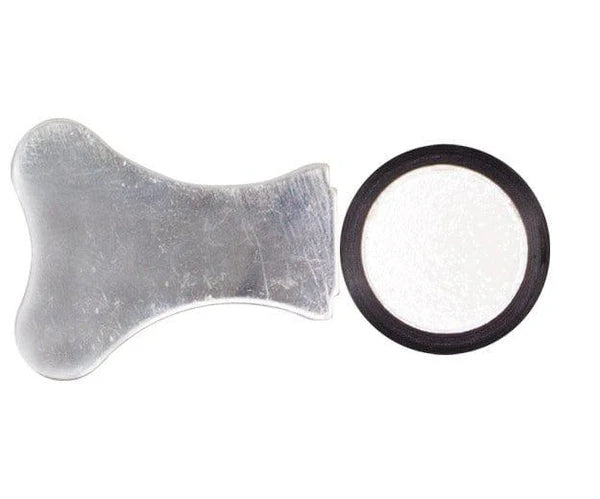


Description
Restore full mist output to a tired Sonic Air Pro
Sonic Air Pro Replacement Ultrasonic Disks are the genuine ceramic discs that vibrate at high frequency inside the humidifier, turning water into the fine mist that keeps grow tent and grow room humidity stable. Continuous vibration and mineral exposure wear the disks down over time, and mist output quietly drops with them - so a worn set can let humidity fall away without warning.
Why does a humidifier's mist output fade?
When ultrasonic disks wear out, the humidifier produces less mist and humidity can drop unexpectedly - slowing vegetative growth, reducing nutrient uptake and stressing plants, especially young clones and seedlings. Fitting fresh disks restores full mist production, holding the humidity needed for strong root development, proper transpiration and healthy growth through veg and flower.
Key Benefits
- Genuine replacement disks for the Sonic Air Pro humidifier
- Restores strong mist output for reliable humidity control
- Keeps grow room humidity stable for healthy plant development
- Simple, quick swap as routine maintenance
- Extends the working lifespan and performance of the humidifier
How to Use
- Turn off and unplug the Sonic Air Pro humidifier before any maintenance.
- Open the housing to access the ultrasonic disk chamber.
- Carefully remove the worn ceramic disks from their mounts.
- Fit the new disks in the correct positions.
- Reassemble the unit, checking all components are securely fitted.
- Power back on and confirm mist production has returned to normal.
Technical Specifications
- Type: replacement ceramic ultrasonic disks
- Compatibility: Sonic Air Pro humidifier
- Function: high-frequency vibration to produce fine humidifying mist
- Use: routine wear replacement to maintain mist output